See Also
Upgrading or Downgrading Your Subscription
As the business grows, you may find you need more horsepower than you are getting at the current subscription level. Likewise, during your slow season, you may find you need less horsepower. With SixBit, you can upgrade or downgrade your subscription once in any 10 day period easily without incurring any penalties.

To upgrade/downgrade your subscription:
- Login to the SixBit Account.
- Select My Services from the Services drop down on the header navigation bar. The actively registered services will display.
- Click View Details.
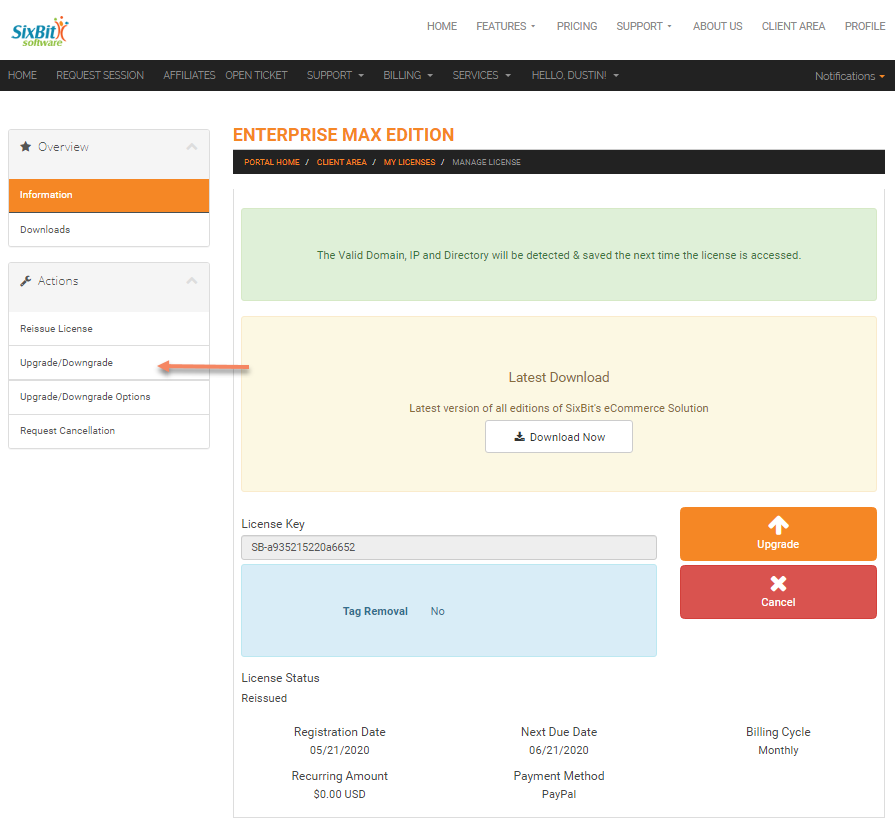
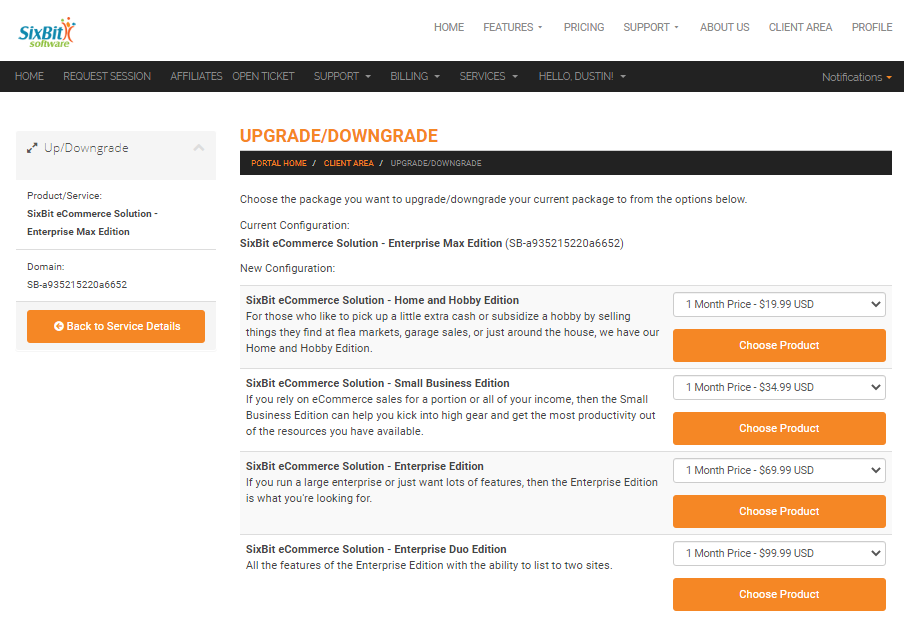
- Select Upgrade/Downgrade from the Management Options drop down.
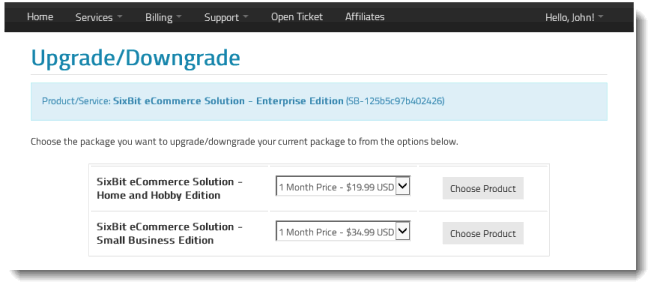
- Choose the version you would like to upgrade/downgrade to from the available options in the drop down
- Click Choose Product.

|
When upgrading or downgrading, your invoice will be automatically adjusted to only charge you for the days you used the program at each subscription level. You can upgrade/downgrade without worrying about any penalty, however you can only upgrade or downgrade once within any 10 day period. |