eBay account tokens periodically expire, and once one does, SixBit can no longer submit, revise, or refresh listings for that account until it is reauthorized. If eBay refreshes or submissions start failing for no obvious reason, an expired token is worth checking first.
When this happens, you will typically see an Invalid Token notification pop up in the bottom left corner of the screen.
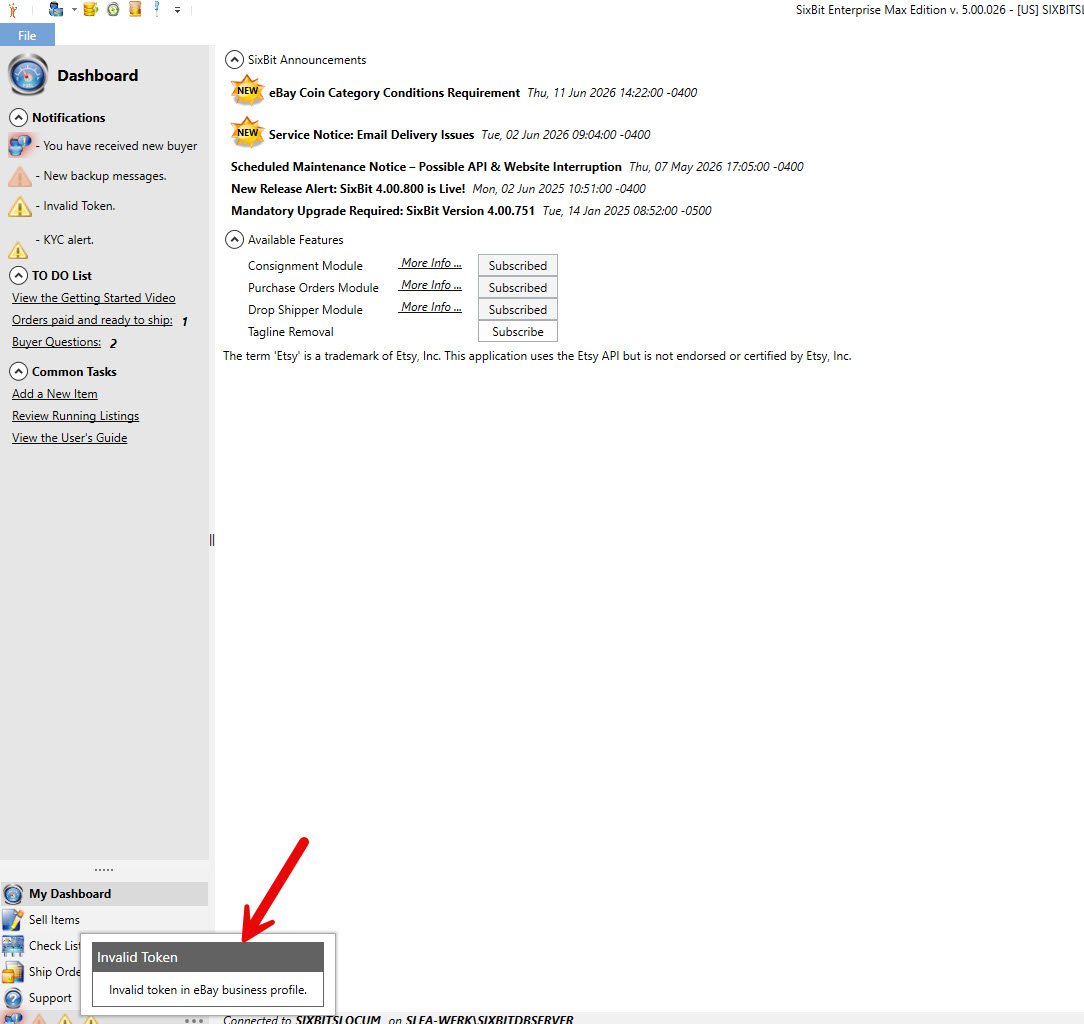
Invalid Token notification appearing in the bottom left corner
Even after that notification disappears, it will remain listed under Notifications on My Dashboard until the account is reauthorized.
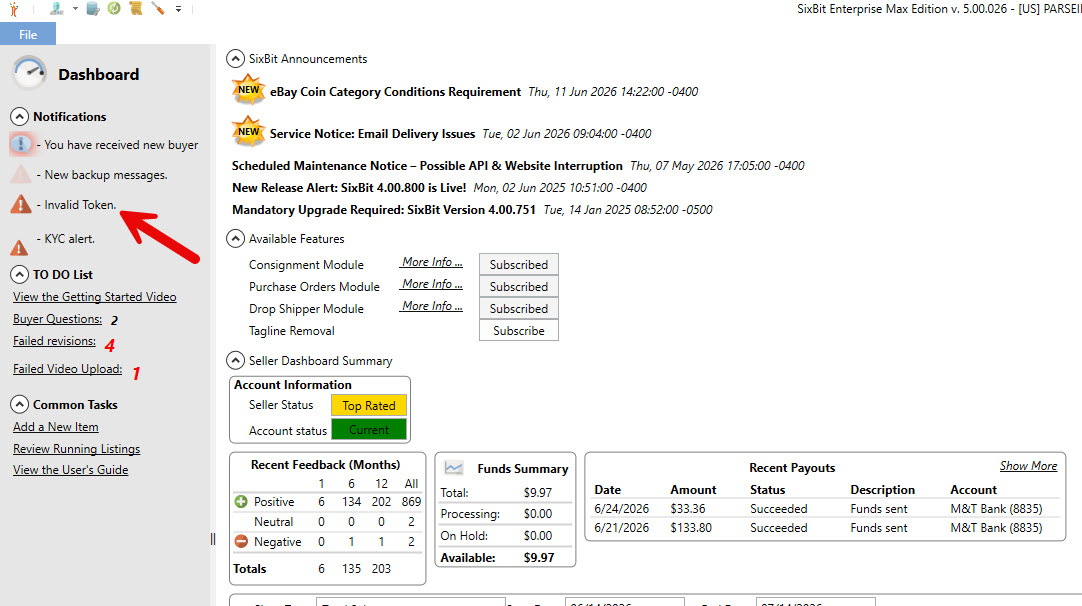
Invalid Token entry remaining in the Notifications list on My Dashboard
You may also see a warning message when SixBit checks your eBay messages, similar to this: The Authentication token ([your seller account]) that allows SixBit to communicate with eBay has expired. Please go to File | Manage | Profile and click the Authorize button next to your account name in the Selling Accounts group.
Step 1 - Open your Profile
From the Application Menu, go to Manage, then Profile, and select your profile from Manage Profiles.
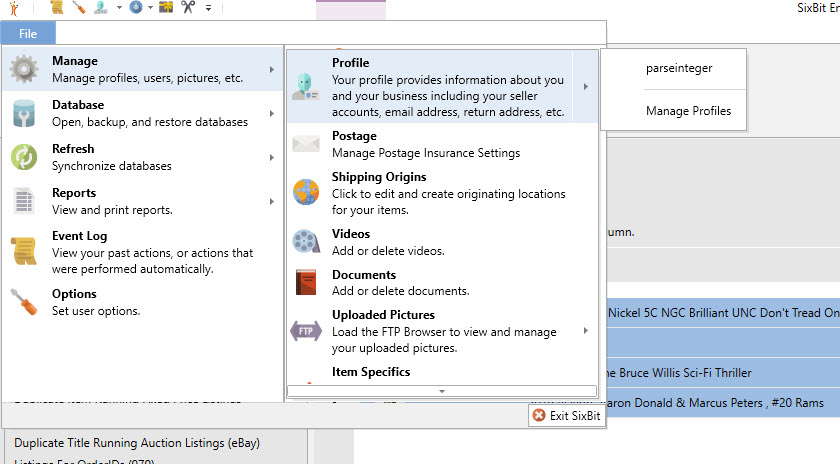
Application Menu showing Manage, then Profile, then Manage Profiles
Step 2 - Click Authorize next to your eBay account
In the Profile window, under Selling Accounts, find your eBay account name and click the Authorize button next to it.
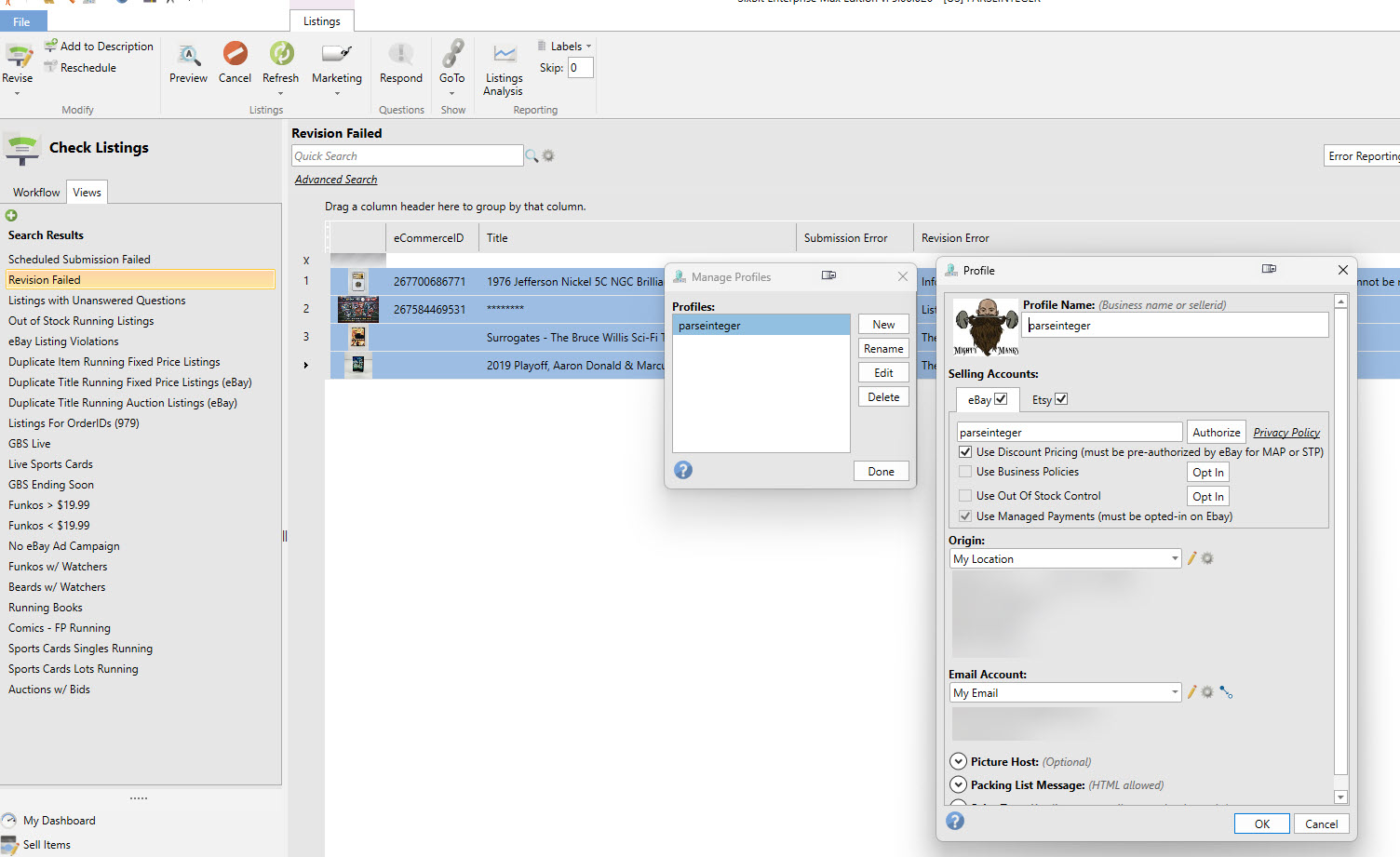
Profile window Selling Accounts section with the Authorize button next to the eBay account
This opens eBay's sign-in page in your browser. Sign in with your eBay account and grant SixBit access again. Once authorized, close the Profile window.
Step 3 - Confirm submissions and refreshes work again
Try submitting, revising, or refreshing a listing to confirm the account is reconnected. Tokens are typically good for a while after this, so you should not need to repeat this often.
