Downloading SixBit
You must order a subscription before you can download SixBit, even if you are just going to be using the trial. Once you have registered, you will be able to download the program from your SixBit Account.

To download SixBit:
- Login to the SixBit Account.
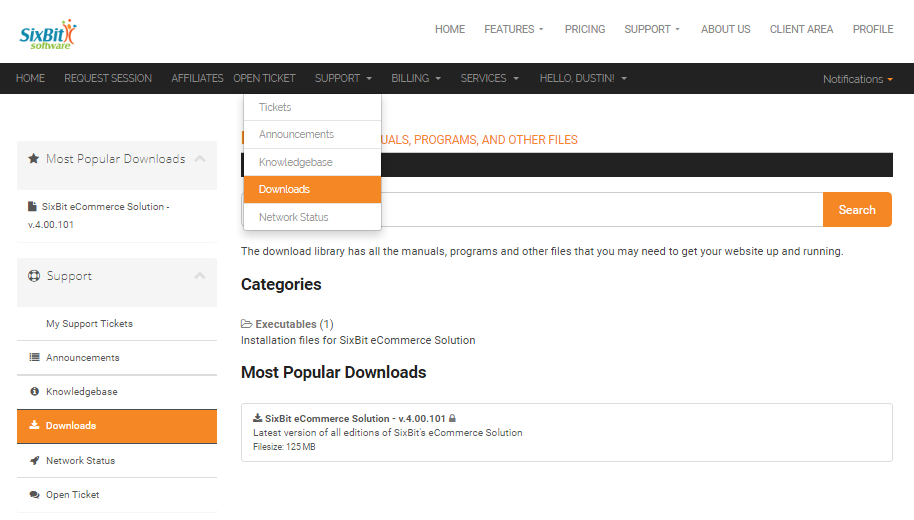
- Select Downloads from the Support drop down on the header navigation bar.
- Click the file to be downloaded.
- A File Download window will appear.
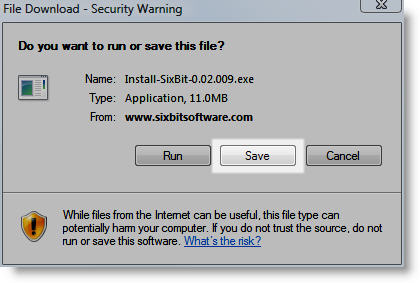
- Click Save to save the download to a location on the computer.
 |
Sometimes the installation will require you to reboot and restart the installation. By saving the file to your computer instead of using Run, you will save time the second time around . |
- Once downloaded, navigate to the file that was downloaded and double click it to perform the installation.